
Local-first starts with a useful local experience
A local-first prompt manager should let you build and use a library on one device without requiring cloud storage as the default. The local copy is not merely a temporary cache; it is where meaningful product functionality begins.
That can improve responsiveness, reduce unnecessary transfers, and give the user a clearer boundary around saved content. It also means device backups, browser-profile access, and local deletion matter.
Separate content categories
“Your data” is too broad to explain a real system. Ask how the product treats each category:
- Saved prompts and reusable templates
- Conversation transcripts and snippets
- Imported context-file bytes and metadata
- Settings and account status
- Billing and entitlement records
- Operational events used for reliability or abuse prevention
A product can keep conversation bodies local while offering optional prompt sync. Those are different storage decisions and should be described separately.
Understand actions that intentionally send content
Local storage does not prevent you from choosing an action that requires data to move. Inserting a prompt into ChatGPT sends it to ChatGPT when you submit it. Exporting to Notion sends selected content to Notion. An AI-powered refinement must send the relevant text to the service that performs the generation.
A trustworthy workflow makes the action and destination clear before content leaves local storage.
How AI Workspace applies the model
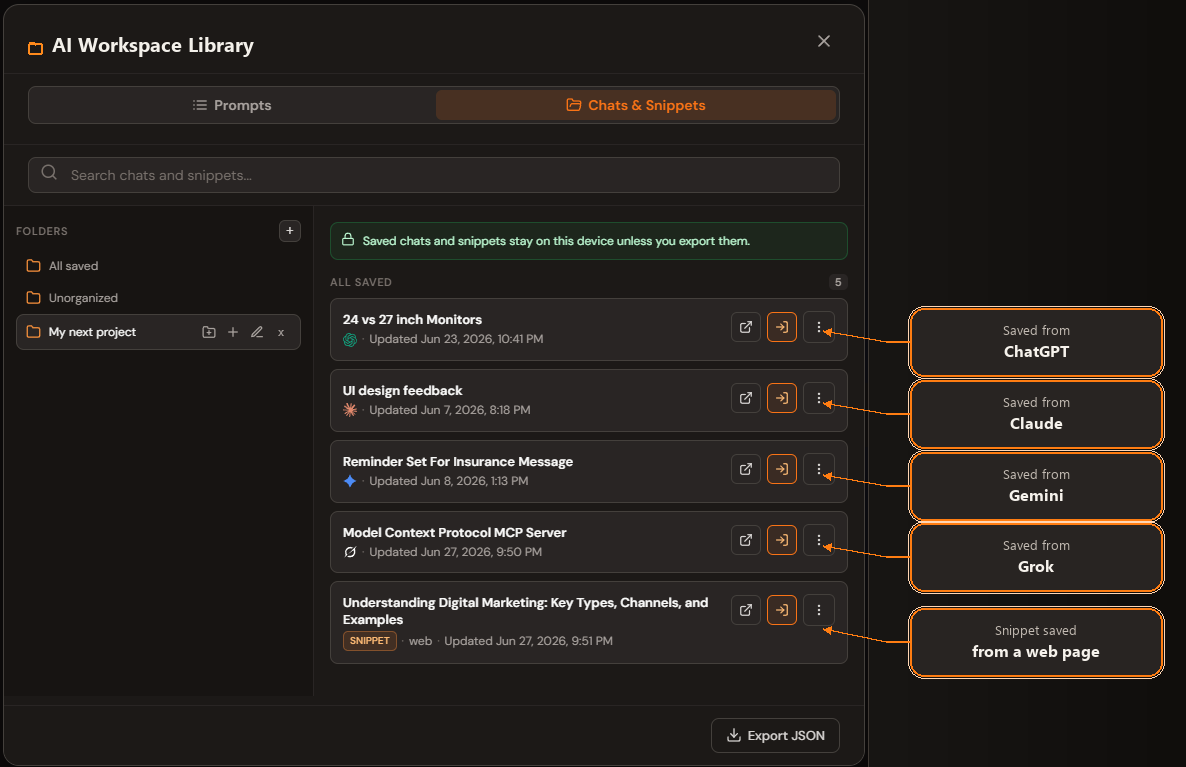
AI Workspace stores saved chat and snippet content locally and keeps context files in extension-owned local storage. Prompt-library sync is an optional, separate feature. AI-powered actions process the relevant text only when you request them, and external exports occur when you choose a destination.
For the precise current rules—including encryption, account data, providers, retention, and rights—read the AI Workspace Privacy Policy. Product guides summarize behavior; the policy is the authoritative disclosure.
Review browser permissions in context
A Chrome extension that appears inside AI chat sites needs access to those sites. Review which hosts are requested, whether site access can be granted selectively, and whether the product explains why each permission is necessary.
Permissions describe technical capability, not proof of actual behavior. Pair the permission list with the privacy policy, visible product actions, network behavior, and the publisher’s support information.
Questions to ask any prompt manager
- Can the product work before I create an account?
- Which content is local, synced, or processed remotely?
- Does it save content automatically or only when I act?
- Are files and conversation bodies encrypted at rest?
- What happens when I export or invoke an AI feature?
- Can I delete local and cloud copies separately?
- Are usage events prevented from collecting private text?
The answers should be specific enough to guide a real decision—not only a general statement that privacy matters.
Start with a local AI workspace
AI Workspace lets you build a useful prompt and conversation library locally before deciding whether you need account-based features.
Add AI Workspace to Chrome