
Save prompts with a repeatable shape
Not every message belongs in a prompt library. Save instructions whose method will remain useful when the topic changes: a research brief, a critique framework, a transformation, a recurring report, or a structured writing task.
If the value lies in ChatGPT’s answer or in the back-and-forth that produced it, save the conversation instead. This distinction keeps the prompt library focused on instructions you can run again.
Clean the prompt before saving it
Remove details that were specific to the original moment: a customer name, a temporary deadline, pasted source material, or an output location. Replace the parts that will change with explicit placeholders.
Write a launch email for Acme’s analytics update for startup founders.
Write a launch email for {product_update} for {audience}. Emphasize {primary_benefit}, address {likely_objection}, and end with {call_to_action}.
Preserve the context that makes it work
Some prompts appear short only because the surrounding conversation supplied the real instructions. When saving one, include the durable context: desired tone, reader knowledge, constraints, output format, and how success will be judged.
A practical sequence is context → task → constraints → output format → quality check. It is clear enough to edit and compact enough to scan.
Use titles based on the job
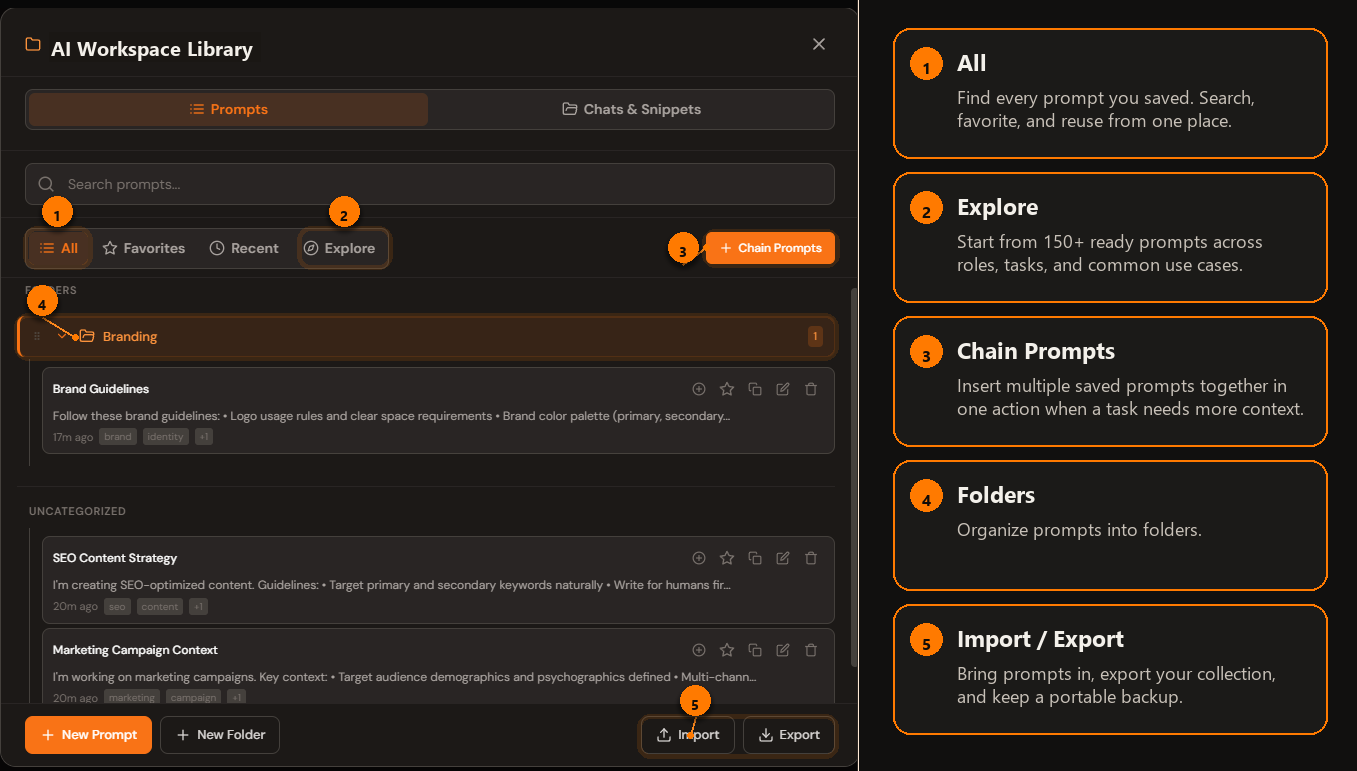
Name the saved prompt after the outcome: “Turn research notes into an executive brief” is easier to retrieve than “Research prompt v3.” Put it in one primary folder and avoid using folders as a substitute for descriptive names.
Adapt instead of blindly repeating
Before inserting a saved prompt, check whether the new task changes the audience, evidence, risk level, or output format. A template is a reliable starting structure—not a reason to ignore the new context.
After ChatGPT responds, note what you had to repair. If that repair will matter next time, improve the saved prompt immediately. Small feedback loops produce better templates than maintaining several vaguely different versions.
A five-minute saving workflow
- Identify the repeatable method in the successful prompt.
- Remove one-off facts and sensitive details.
- Replace changing inputs with named variables.
- Add the expected output and quality checks.
- Save it under a task-focused title, then test it on a second example.
For a broader structure, see how to organize an AI prompt library.
Save prompts beside ChatGPT
AI Workspace adds a prompt library and reusable templates directly to supported AI sites.
Add AI Workspace to Chrome