
Works with ChatGPT, Claude, Gemini & Grok
Export ChatGPT & Claude chats to Notion, Gemini Notebook, Obsidian & Markdown.
Save any conversation from ChatGPT, Claude, Gemini, or Grok, then send it to your notes in one click. Clean formatting, no copy-paste cleanup.
- 5.0★ on Chrome Web Store
- No account needed
- Chats stay on your device
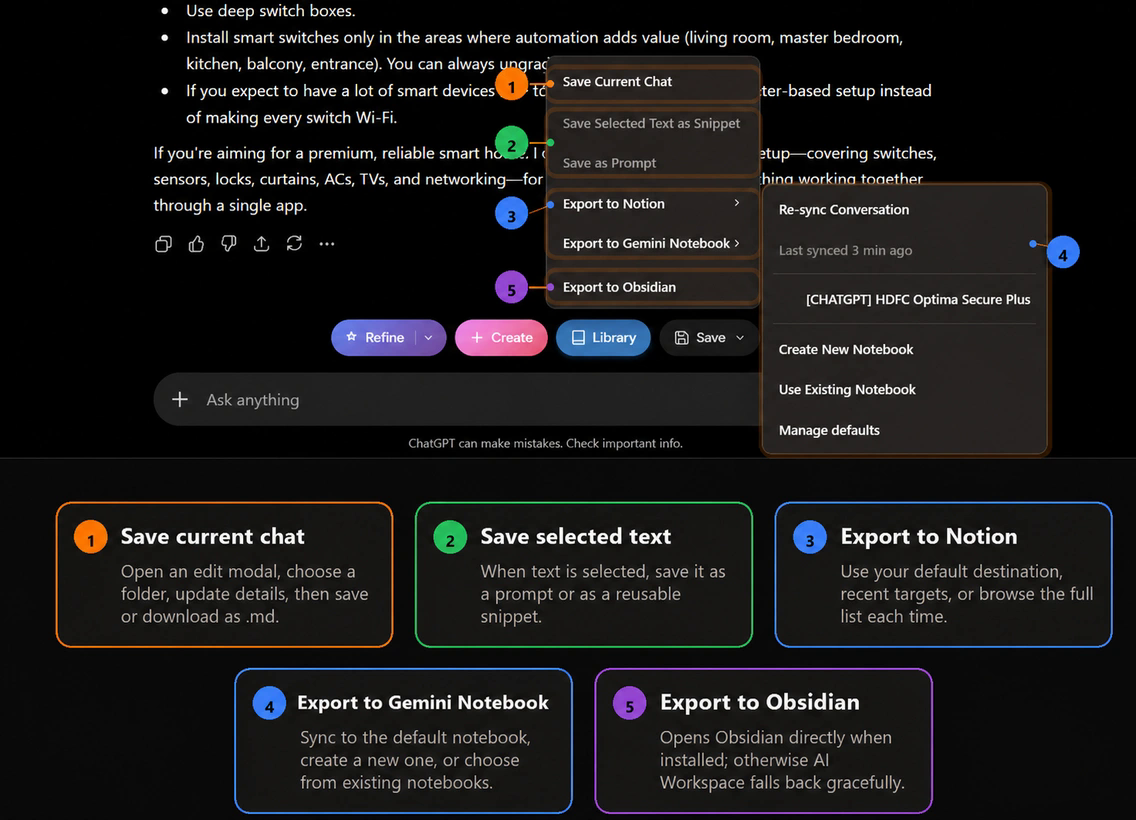
Works where you already chat
 ChatGPT
 Claude
 Gemini
 Grok
Grok Perplexity
How it works
From chat to notes in three steps.
- 01
Add AI Workspace to Chrome
Install free from the Chrome Web Store. No sign-up needed to start saving chats.
- 02
Click Save in any chat
A small toolbar appears next to the ChatGPT, Claude, Gemini, or Grok input box. Save the whole chat or just the part you need.
- 03
Export where you work
Send it to Notion, Gemini Notebook (NotebookLM), or Obsidian, or download clean Markdown and JSON. Guides: NotebookLM, Obsidian, Notion, Markdown.
Also included
Your AI chats, finally organized.
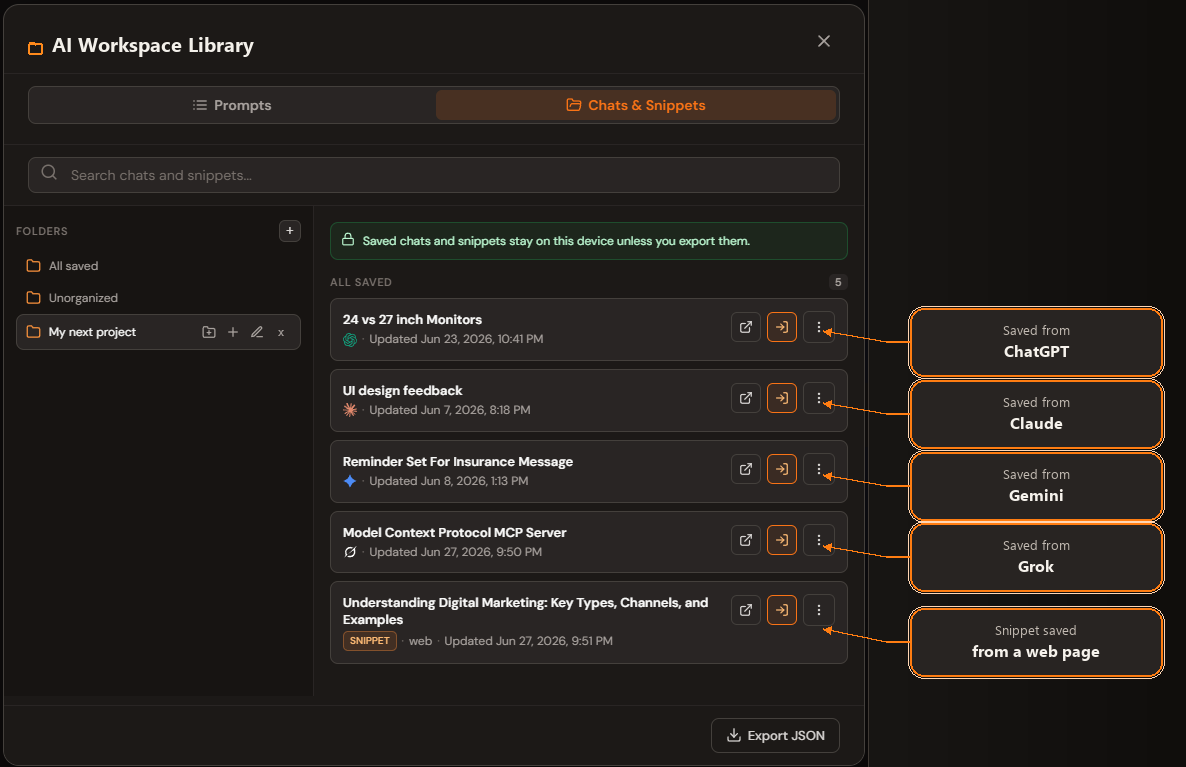
One searchable library
Every saved chat and snippet in folders, with the AI it came from. Find old conversations in seconds instead of scrolling a sidebar.
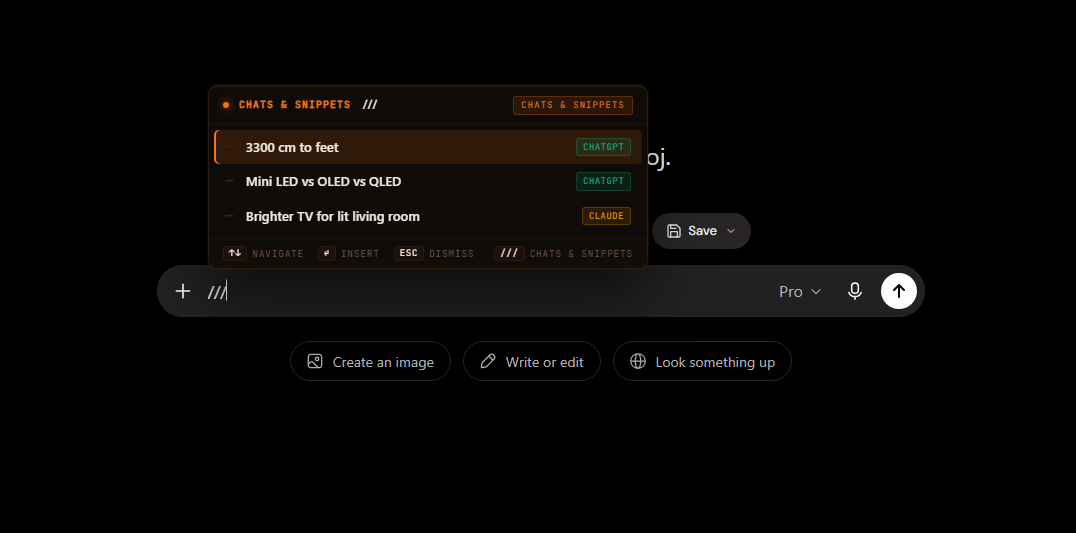
Reuse chats and prompts anywhere
Type // to insert a saved prompt or /// to bring a past chat back as context, in any supported AI.
Questions
Before you install
Is AI Workspace free?
Yes. The free plan includes unlimited saved chats and local prompts, plus limited exports to Markdown, JSON, Notion, and Gemini Notebook. A one-time Lifetime upgrade unlocks unlimited exports, prompt sync, and more.
Where are my chats stored?
Saved chats stay in extension storage on your device. They only leave your browser when you choose to export them.
Do I need an account?
No. You can save and export chats without signing up. An account is only needed for prompt sync and purchases.
Which AI tools does it support?
ChatGPT, Claude, Gemini, Grok, and Perplexity. Available actions can vary slightly by site.
Start in under a minute